How-To Guides · Tech help
How to Video Call Your Family on WhatsApp (One-on-One or Group)
Want to see the grandkids, or call family far away? If you both have WhatsApp, you can video call in two taps. Here's how, on a phone.
1. Step 1: Open Their Chat
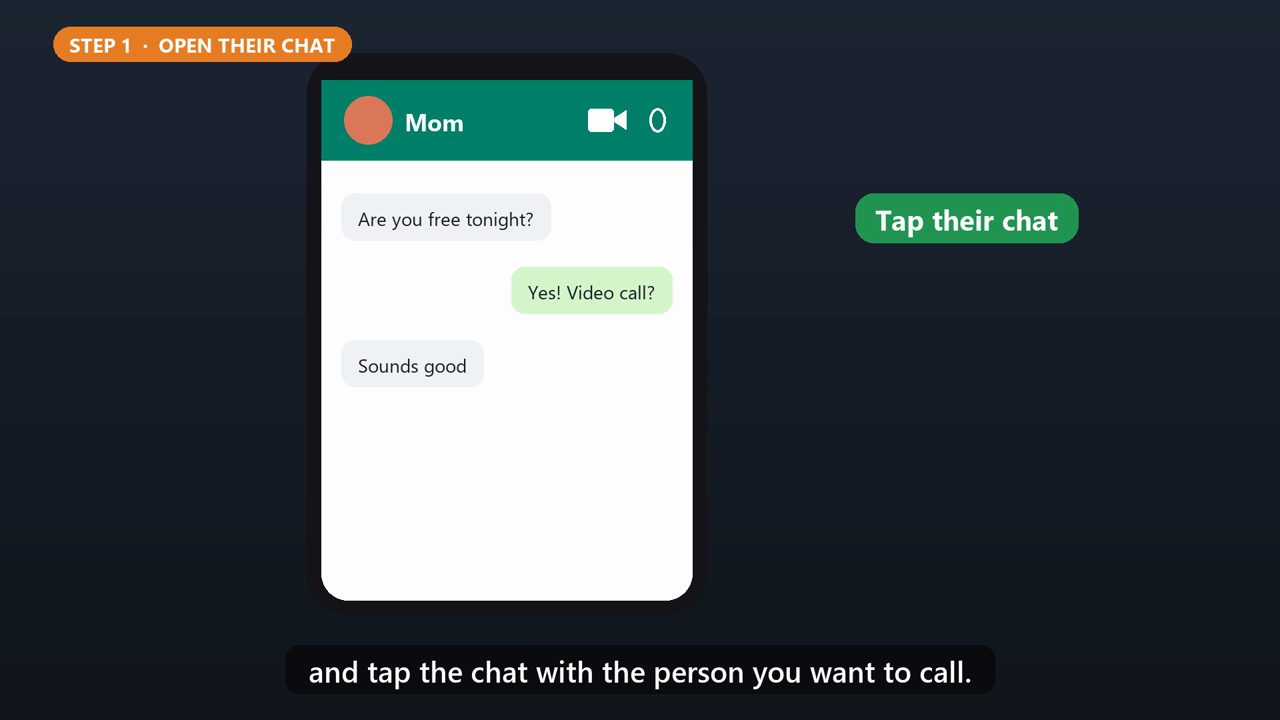
Open WhatsApp, and tap the chat with the person you want to call.
2. Step 2: Tap The Video Camera
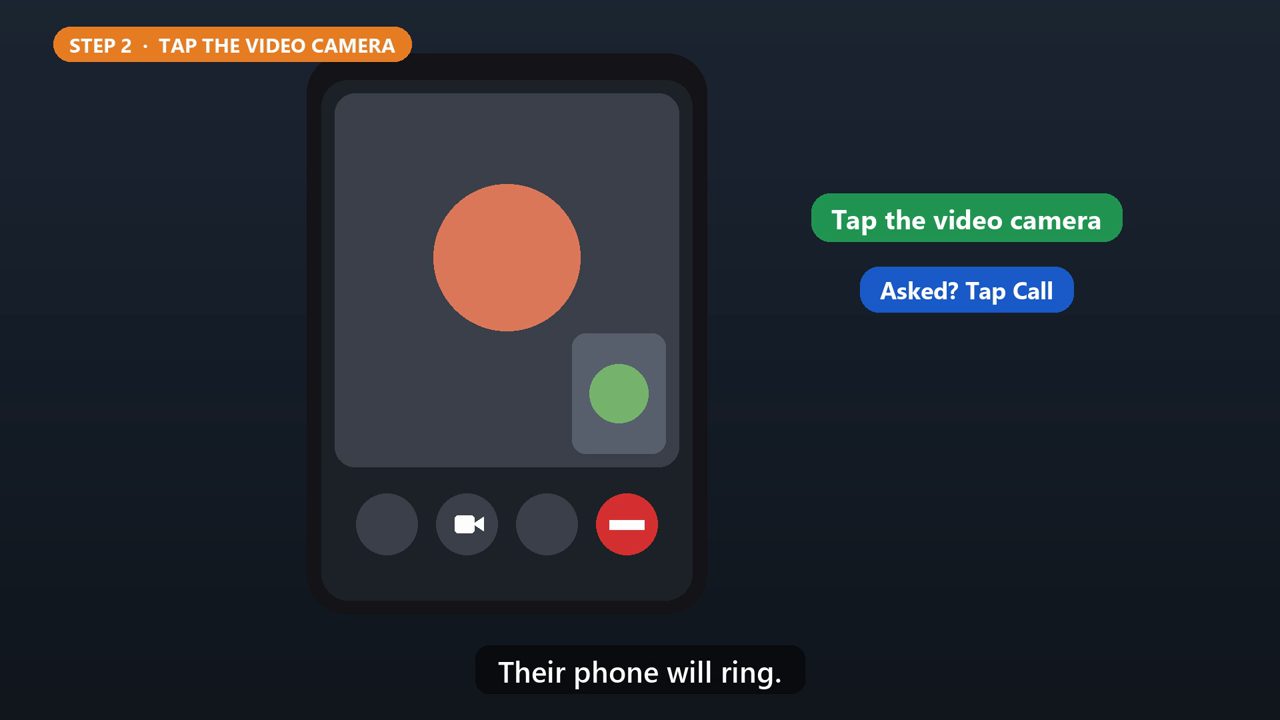
At the top of the chat, tap the video camera icon. If it asks, tap Call. Their phone will ring.
3. Or From The Calls Tab
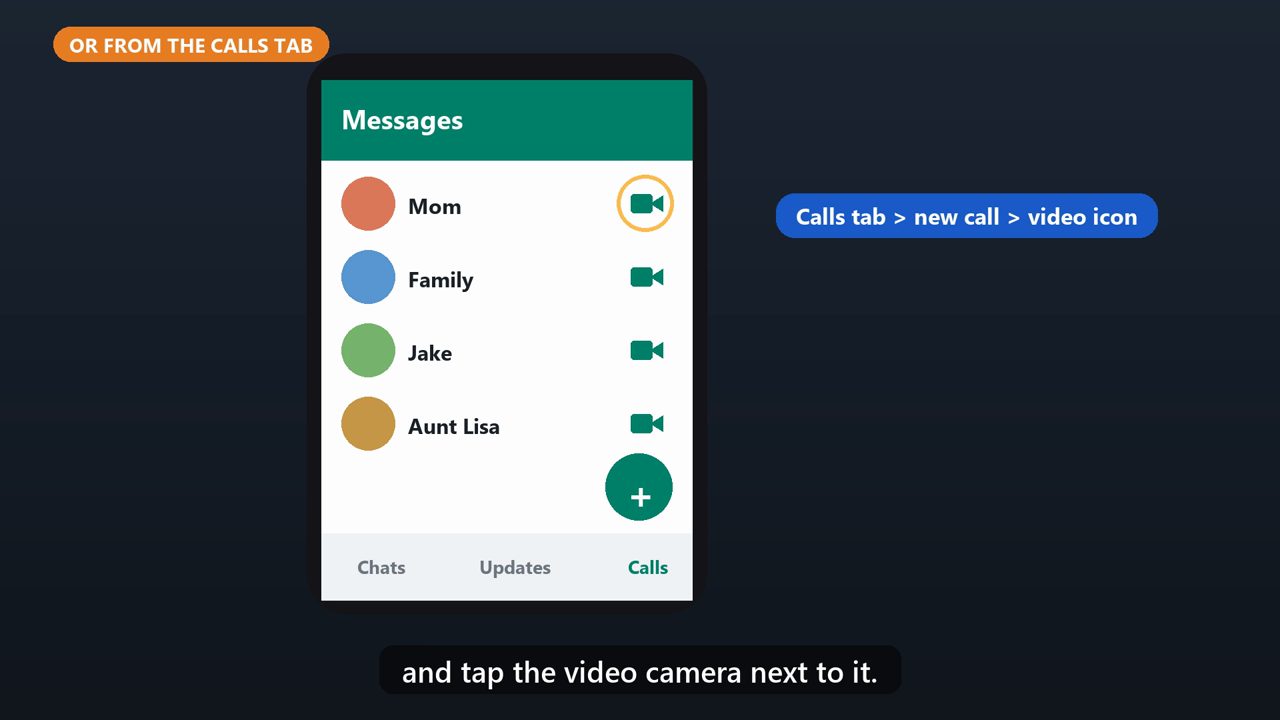
You can also go to the Calls tab, tap the new call button, find their name, and tap the video camera next to it.
4. During The Call
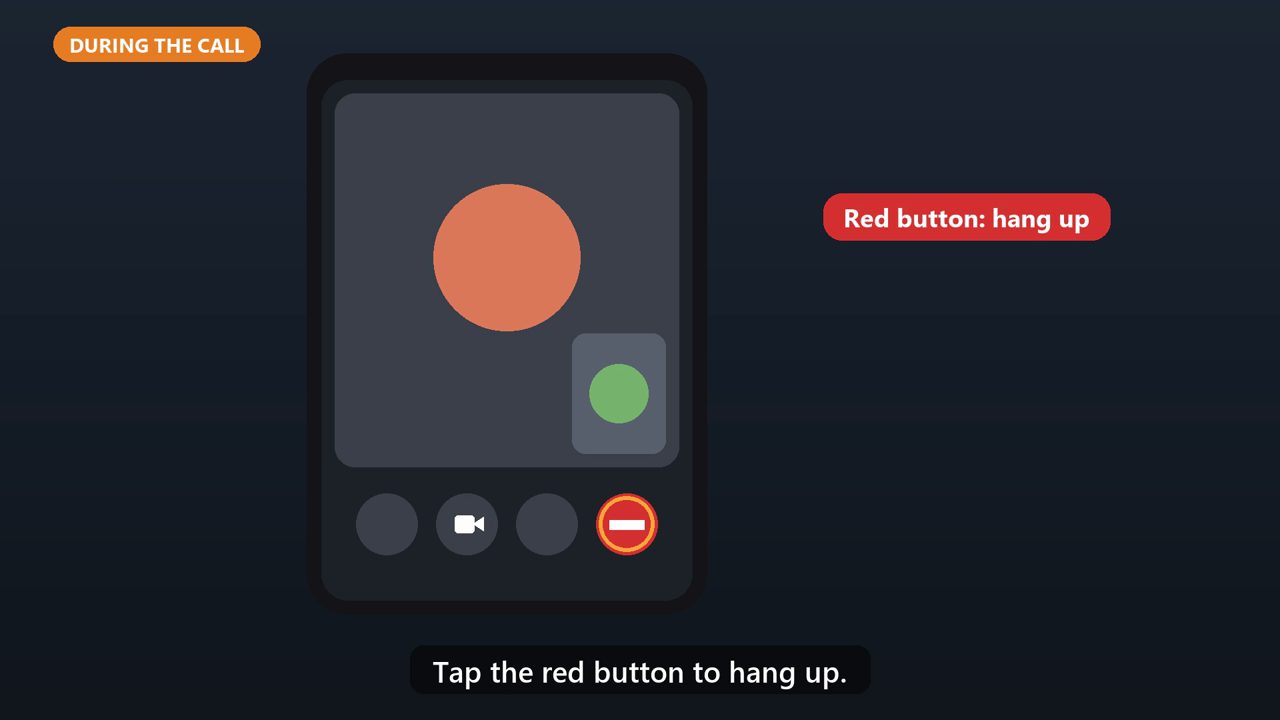
Tap the camera button with a line through it to turn your video off, and tap it again to turn it back on. Tap the red button to hang up.
5. Call The Whole Family
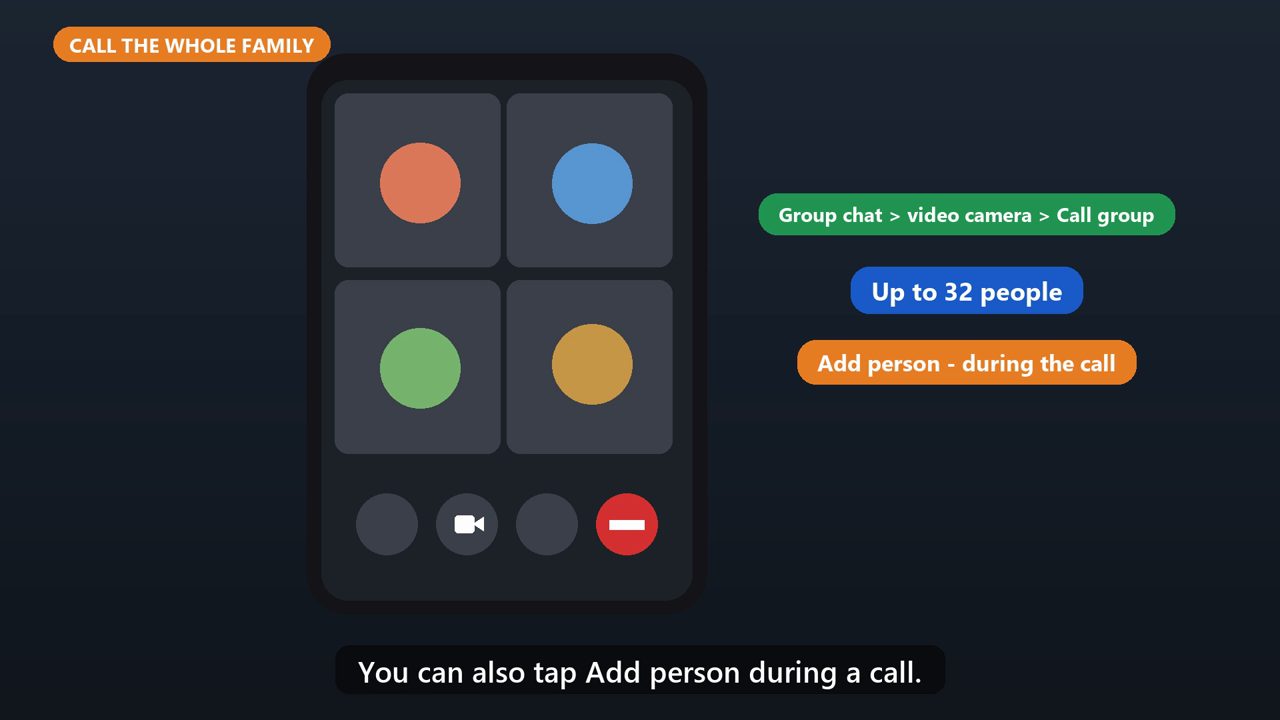
For a group call, open your family group chat, tap the video camera, then Call group. Up to thirty two people can join. You can also tap Add person during a call.
6. Answering A Video Call
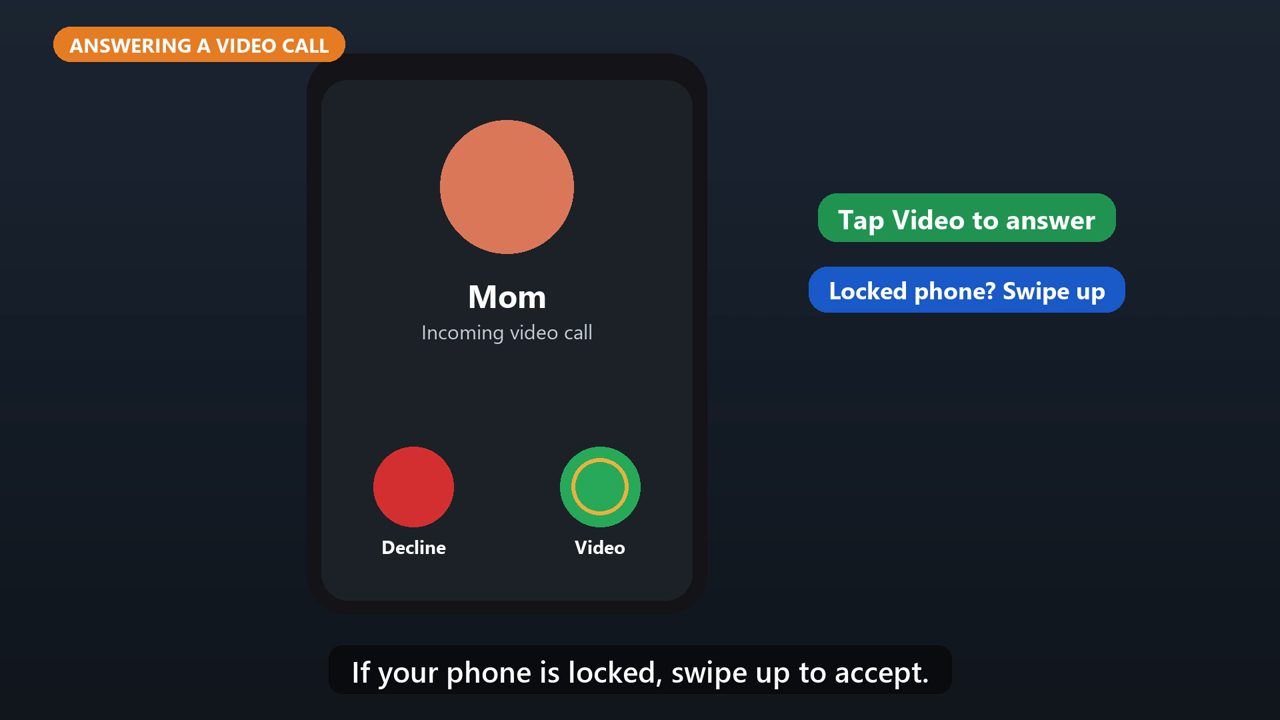
When someone video calls you, tap Video to answer. If your phone is locked, swipe up to accept.
Tools that make this easier
Simple Google Sheets + Excel tools from WiscHaven. Buy once, no subscription.




Sources
Checked against the official sources above. Steps can change as apps update - tell us if something looks different: wischavenindustries@gmail.com