How-To Guides · Cars
How to Jump-Start a Car Safely (Step by Step)
Car won't start, and all you hear is a click? A jump-start can get you going in a few minutes. Here's the safe way to do it, in the right order.
1. Before You Start
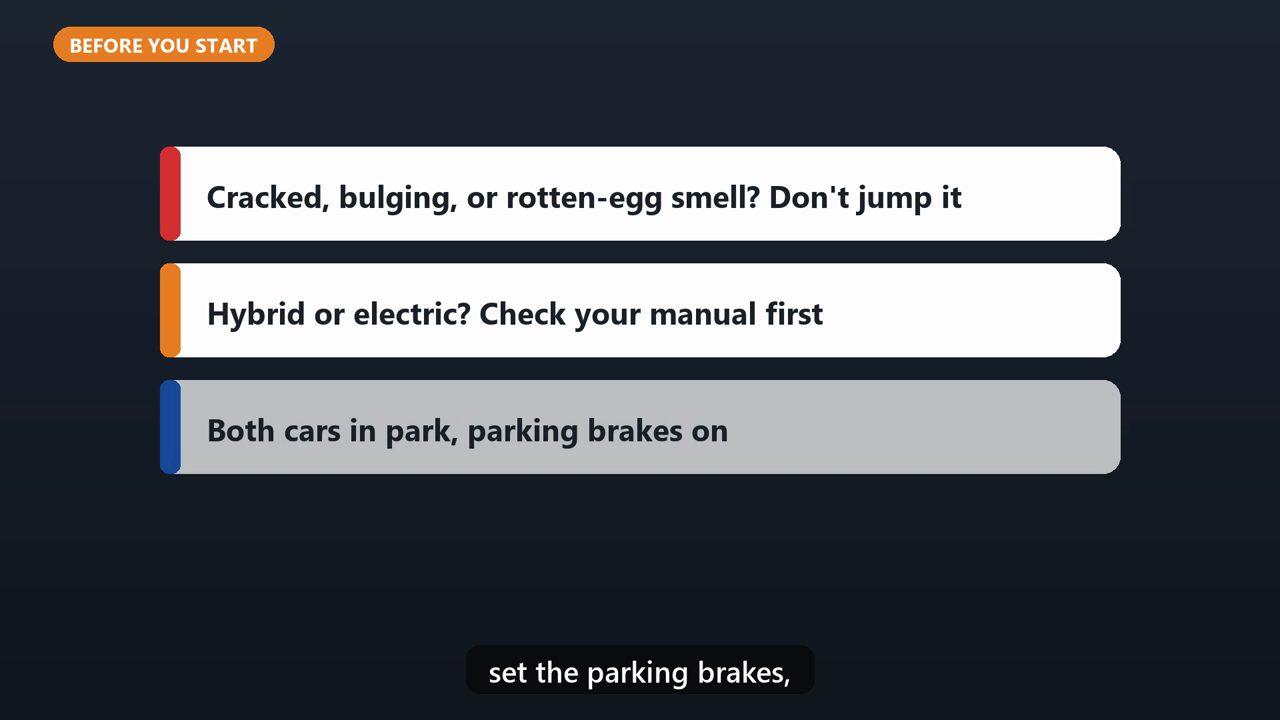
First, safety. Check that the dead battery isn't cracked, bulging, or smelling like rotten eggs. If it is, don't jump it, and call for help. If you have a hybrid or electric car, check your owner's manual first. Park the good car close, put both in park, set the parking brakes, and turn both cars completely off.
2. Clamp 1: Red On The Dead Battery
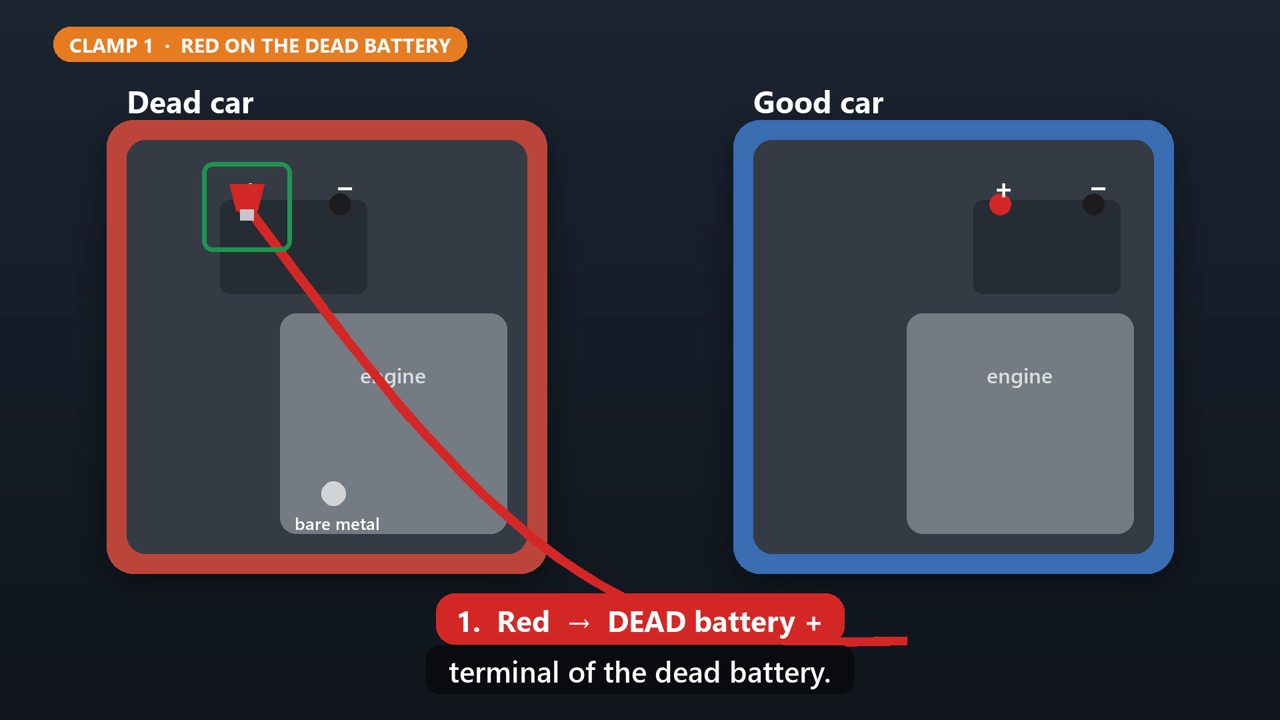
Now the cables. Clamp one red end onto the plus terminal of the dead battery.
3. Clamp 2: Red On The Good Battery
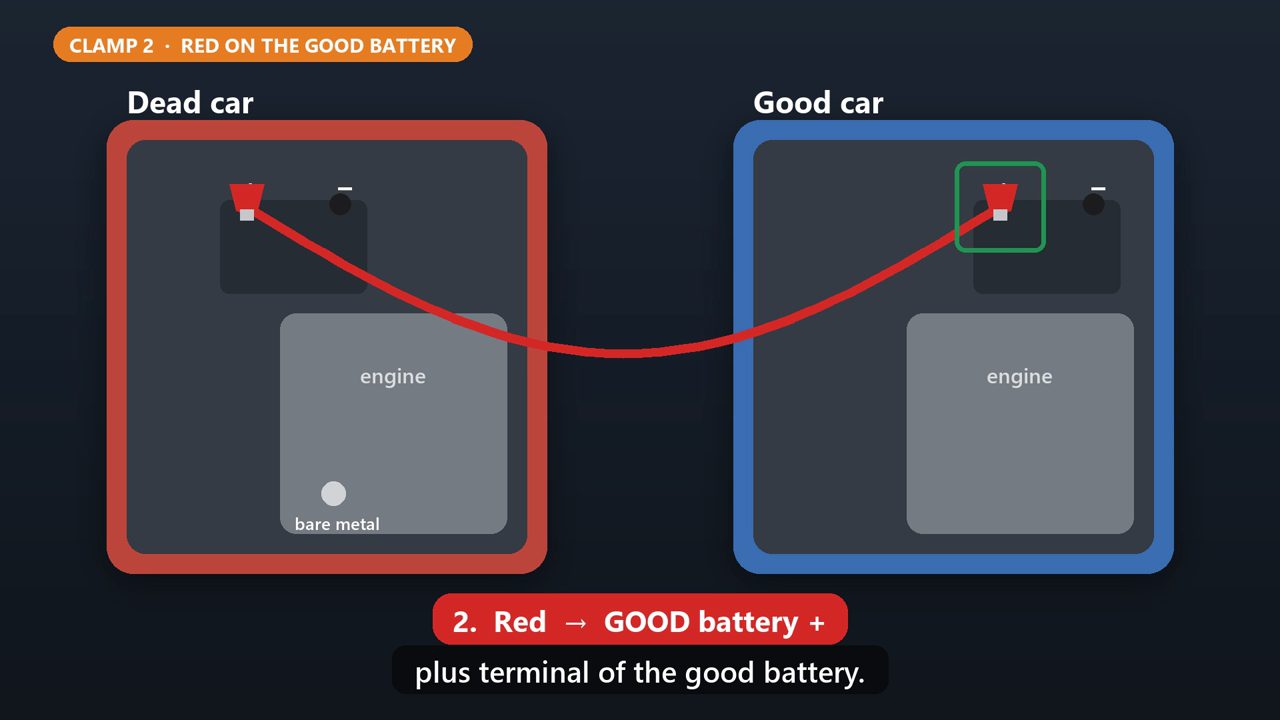
Clamp the other red end onto the plus terminal of the good battery.
4. Clamp 3: Black On The Good Battery
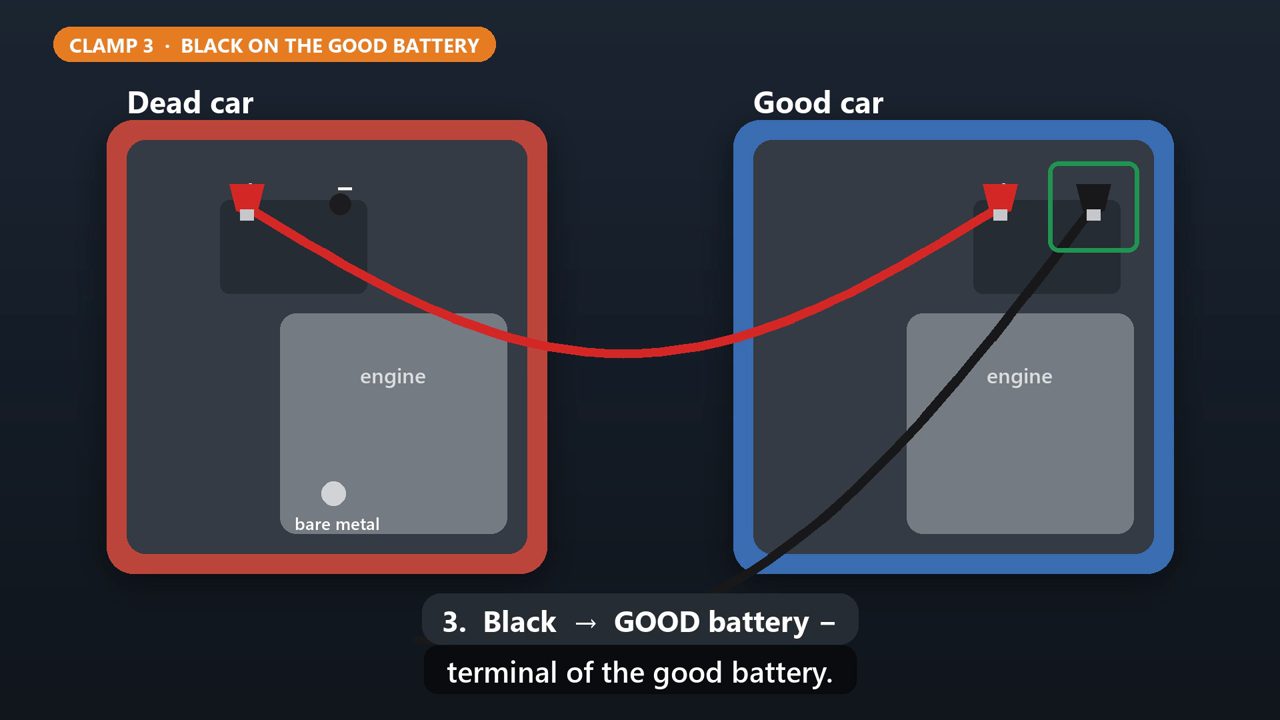
Clamp one black end onto the minus terminal of the good battery.
5. Clamp 4: Black On Bare Metal
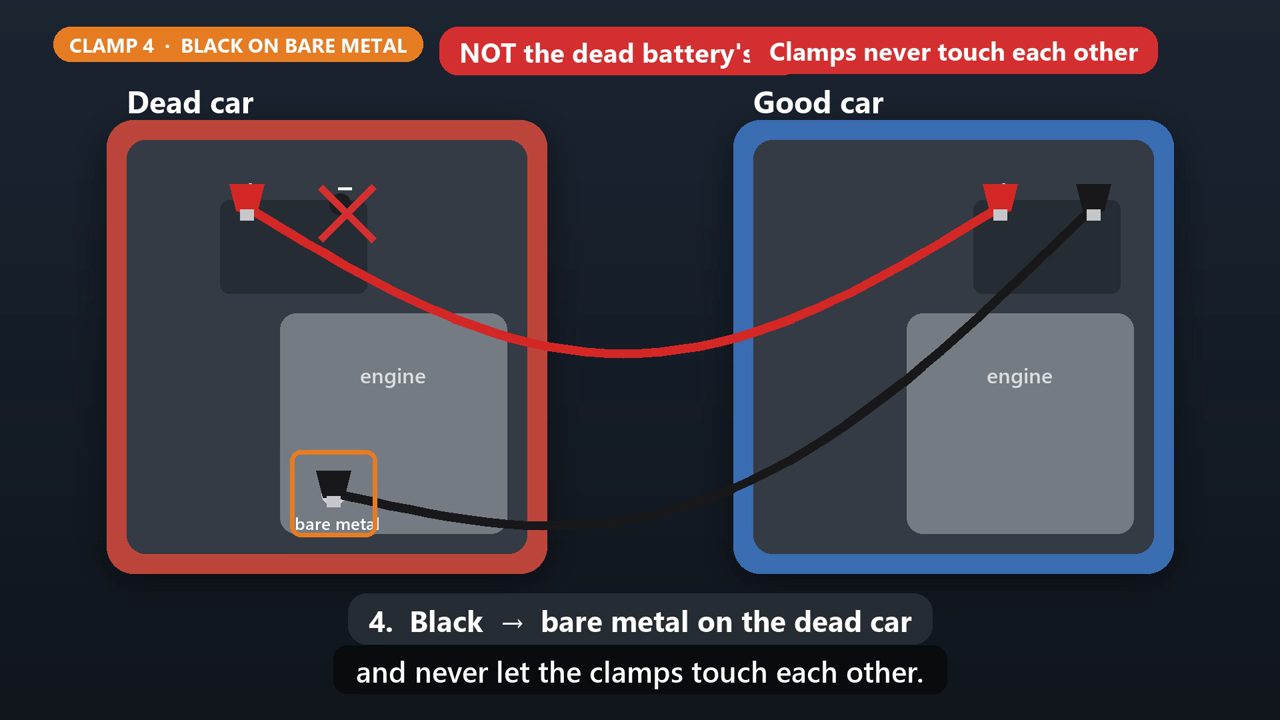
And the last black clamp goes on bare, unpainted metal on the dead car, like a bolt on the engine. Not on the dead battery. A dead battery can give off gas, and this keeps any spark away from it. Keep the cables away from belts and fans, and never let the clamps touch each other.
6. Start It Up
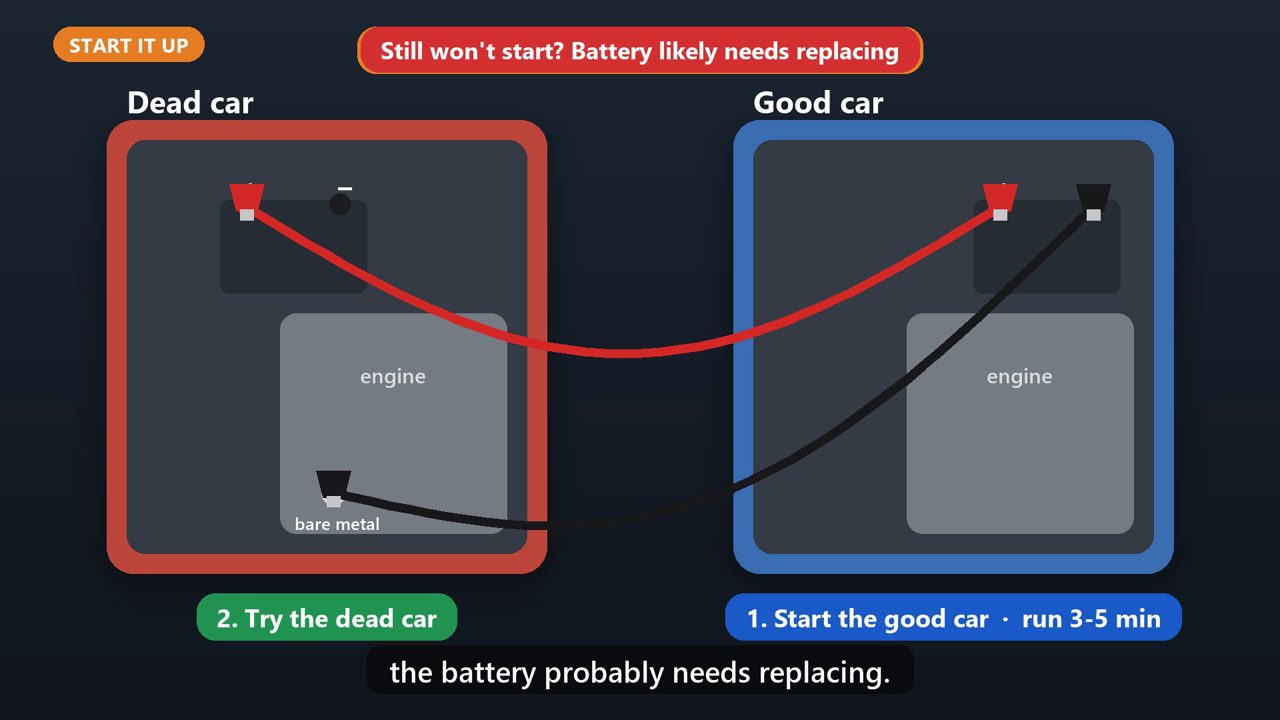
Start the good car, and let it run for three to five minutes. Then try the dead car. If it cranks slowly, wait five more minutes and try once more. If it still won't start, the battery probably needs replacing.
7. Take The Cables Off In Reverse
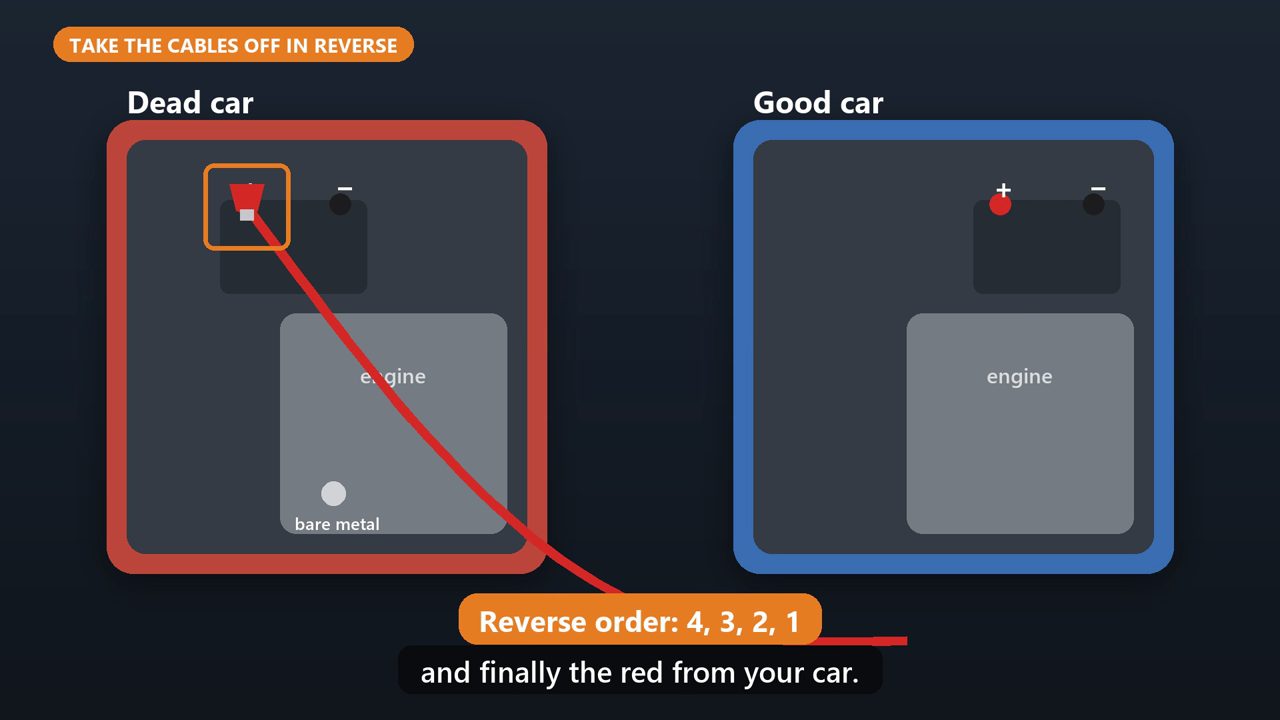
Once it starts, let both cars run for a few minutes. Then remove the clamps in reverse order. The black from the bare metal, the black from the good battery, the red from the good battery, and finally the red from your car.
8. Last Step
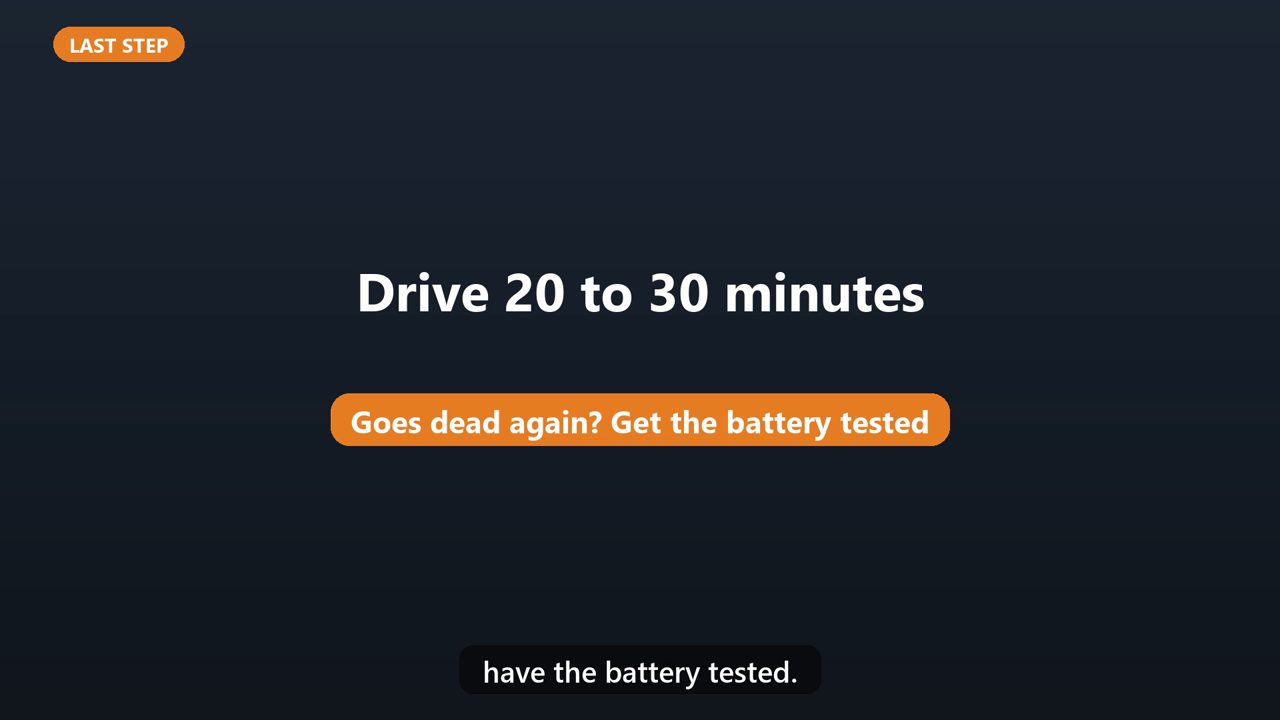
Then drive for twenty to thirty minutes to recharge the battery. If it goes dead again, have the battery tested.
Tools that make this easier
Simple Google Sheets + Excel tools from WiscHaven. Buy once, no subscription.
Sources
Checked against the official sources above. Steps can change as apps update - tell us if something looks different: wischavenindustries@gmail.com